 Install on Shopify
Social proof
Logo cloud section for Shopify
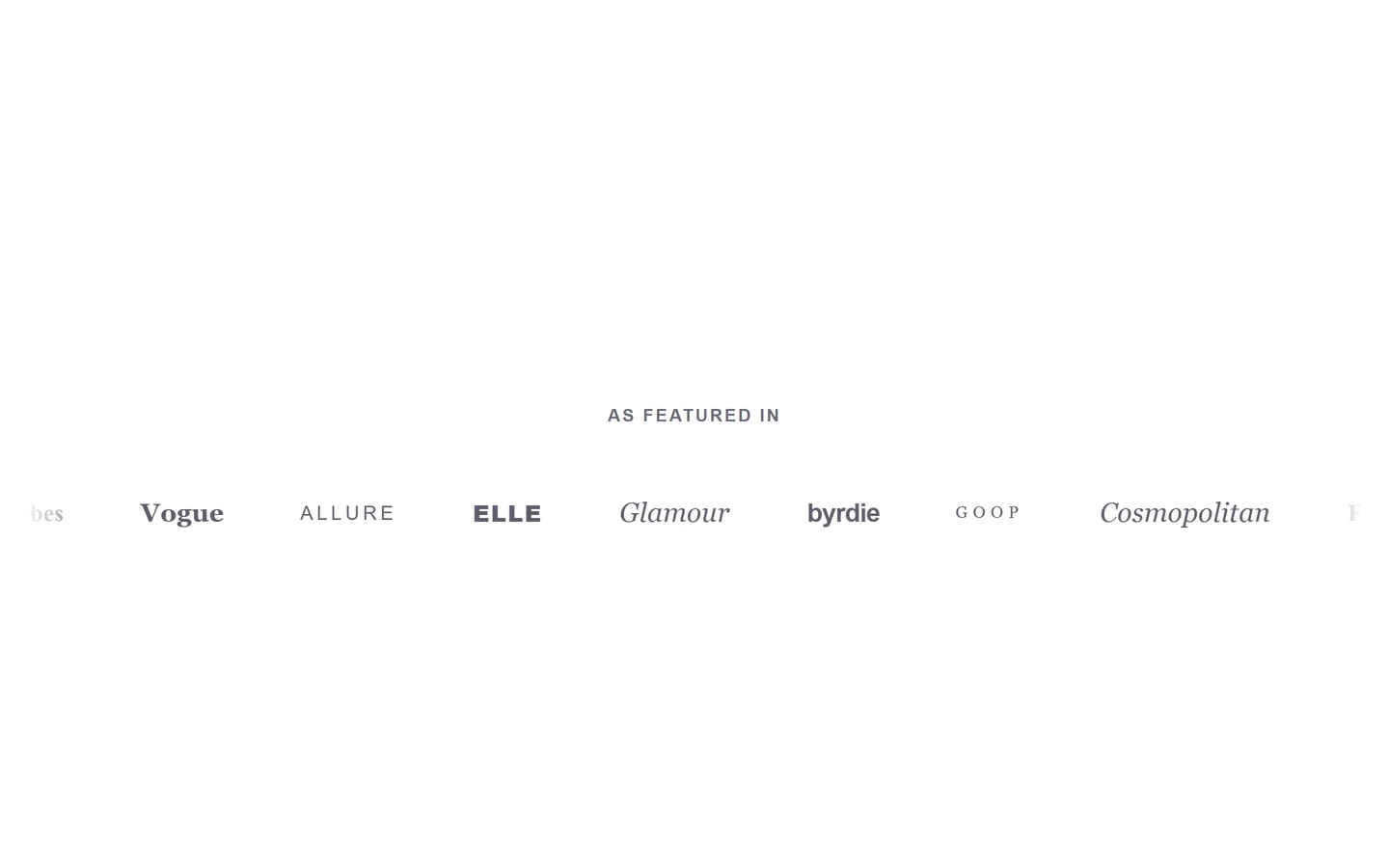
A row of recognizable logos that borrows credibility at a glance.
What it is
The logo cloud section shows a row or grid of logos — press mentions, stockists, partners, or payment brands. It's a native theme section where each logo is an editor block with an optional link.
What merchants use it for
- As-seen-in press logos
- Retail stockist badges
- Partner or integration logos
- Brand or designer roster
- Certification marks
Key features
- Uploadable logo blocks
- Optional link per logo
- Grayscale or full-color display
- Configurable columns and spacing
- Optional section heading
Setup
How to add the Logo cloud section
- 01Install Modulo from the Shopify App Store
- 02Open the theme editor and click Add section
- 03Choose the Logo cloud section from Modulo
- 04Upload each logo and add an optional link
Questions
Frequently asked
Can I make the logos grayscale?
Yes. A grayscale option keeps a row of mixed logos looking uniform, with full color available if you prefer.
How many logos can I add?
Add as many logo blocks as you need; set the column count so they wrap neatly across screen sizes.
Get the Logo cloud section — and 50+ more.
One install adds 100+ native sections, 16 conversion blocks, and the bundling engine to your theme. Free at launch.