 Install on Shopify
Conversion
FAQ section for Shopify
Collapsible questions and answers that handle objections before checkout.
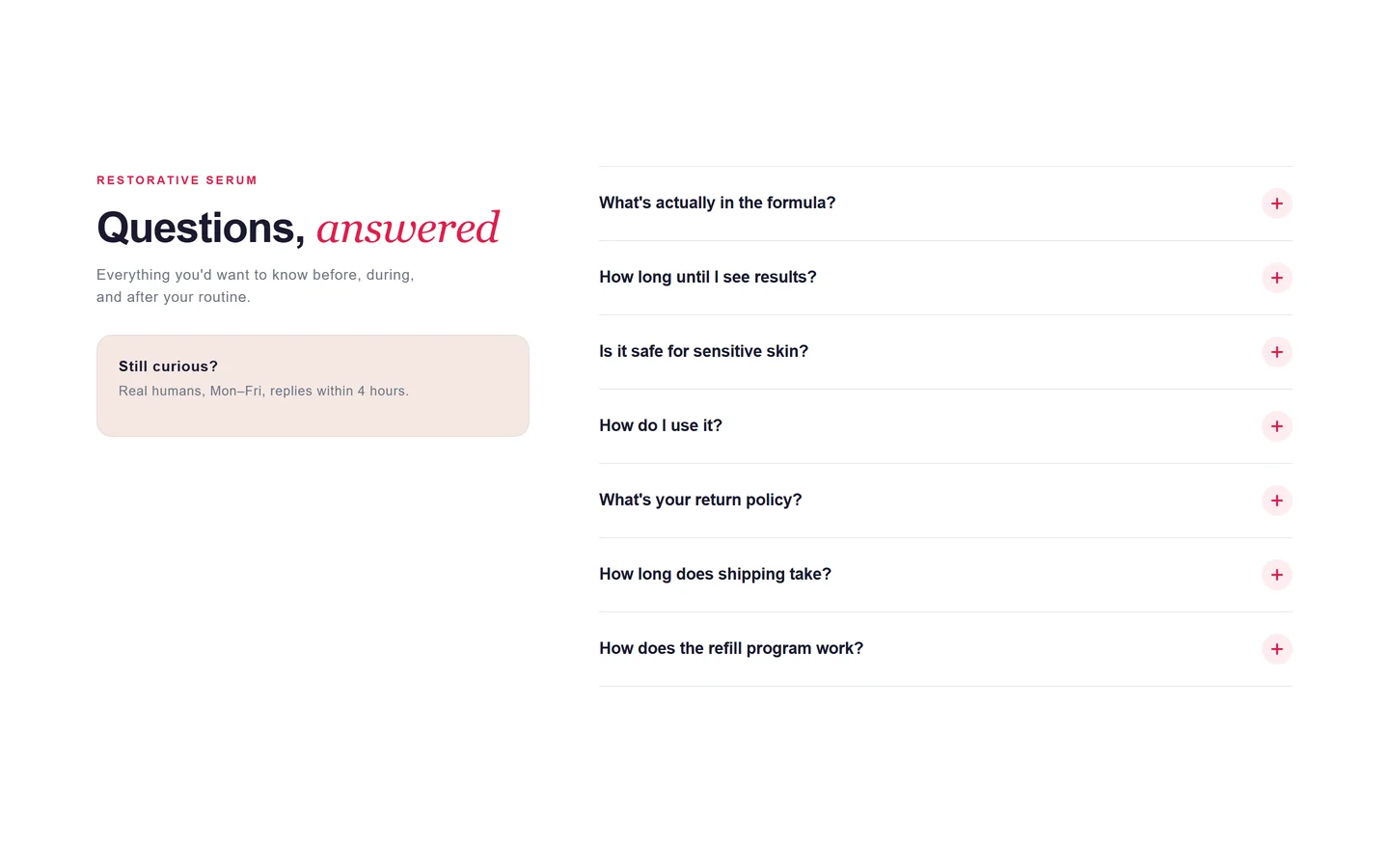
What it is
The FAQ section displays your common questions as expandable accordion rows. It's a native theme section, so it renders in Liquid and you edit each question and answer directly in the theme editor.
What merchants use it for
- Product page objection handling
- Shipping and returns questions
- Sizing and care details
- Subscription or warranty terms
- Support and contact pointers
Key features
- Expandable accordion rows
- Per-row question and rich-text answer
- Option to open the first row by default
- Reorderable question blocks
- Optional section heading and intro
Setup
How to add the FAQ section
- 01Install Modulo from the Shopify App Store
- 02Open the theme editor and click Add section
- 03Choose the FAQ section from Modulo
- 04Add a block per question and type the answer inline
Questions
Frequently asked
Does the FAQ section help with SEO?
Clear on-page answers help shoppers and can be marked up for rich results, but the section itself renders the content; you control whether to add FAQ schema in your theme.
Can answers include links or formatting?
Yes. Answers use a rich-text field, so you can add bold text, lists, and links.
Can I put the FAQ on a product page?
Yes. Add it to any template — homepage, product, collection, or a dedicated FAQ page.
Get the FAQ section — and 50+ more.
One install adds 100+ native sections, 16 conversion blocks, and the bundling engine to your theme. Free at launch.